If you use Claude Code both for personal projects and at work, you know exactly the problem: every time you switch accounts you have to log out, authenticate again and pray you don’t forget before making a commit.
That’s not a workflow. It’s pure friction.
The good news: there’s a clean, native, hack-free solution that lets you keep two Claude Code accounts running in parallel, each in its own directory, without interfering with one another.
Why this happens
Claude Code stores all its configuration and session credentials in a single directory by default: ~/.claude. One directory, one active account. Full stop.
This means that if you have a personal account and a work account, only one can be authenticated at any given time. Switching between them requires logging out and back in, which completely breaks your flow.
The solution: CLAUDE_CONFIG_DIR + direnv
Claude Code exposes an environment variable called CLAUDE_CONFIG_DIR that lets you point to an alternative config directory. If you combine this with direnv — a tool that activates environment variables automatically when you enter a folder — you get per-project authentication without doing anything manually.
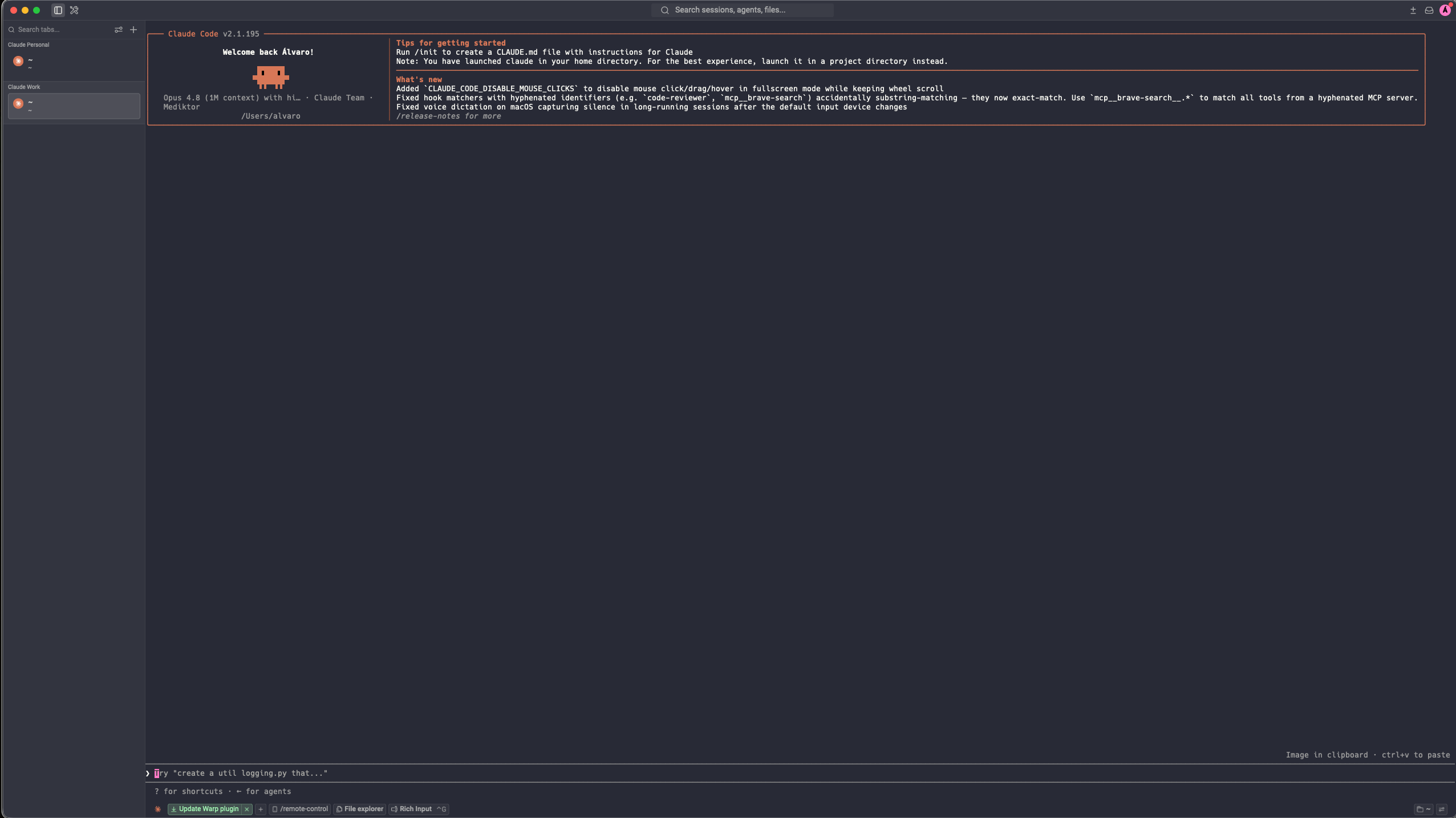
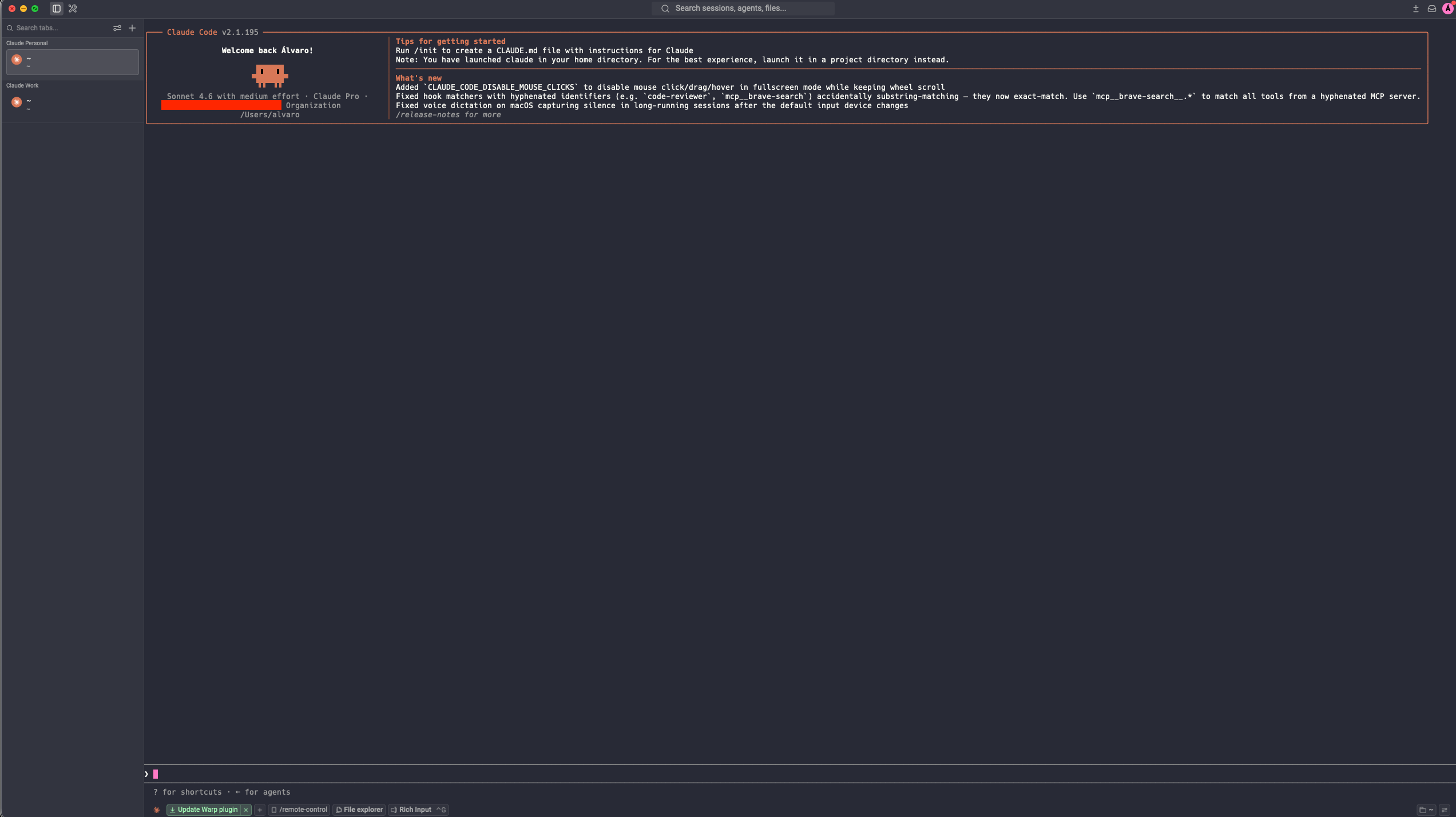
You enter the working directory → the right account activates on its own. You leave → the default account comes back.
Here’s what it looks like in practice:
Step-by-step setup
1. Install direnv
brew install direnvThen add the hook to your shell. If you use zsh (the most common on Mac), add this line to the end of your ~/.zshrc:
eval "$(direnv hook zsh)"Reload the config:
source ~/.zshrc2. Create the .envrc file in your project
Go to the directory where you want to use your second account and run:
echo 'export CLAUDE_CONFIG_DIR=~/.claude-work' > .envrcYou can name the directory whatever you want: ~/.claude-work, ~/.claude-company, ~/.claude-client-x. Whatever makes sense to you.
3. Authorize direnv
direnv allowThis step is required the first time as a safety measure. direnv won’t run .envrc files without your explicit authorization.
4. Authenticate with your second account
Open Claude Code inside that directory:
claudeSince the ~/.claude-work directory is new and empty, Claude Code will ask you to log in. Sign in with your work account credentials (or whichever one you want to use in that project).
Done.
How it works day to day
From here on the process is completely transparent:
- You enter the project directory → direnv activates
CLAUDE_CONFIG_DIR=~/.claude-work→ Claude Code uses your work account - You leave the directory → the variable disappears → Claude Code goes back to
~/.claude→ your personal account
There’s nothing to do. Nothing to remember. You never have to log out.
How many accounts can you have?
As many as you need. The system scales without limit: one config directory per account, one .envrc per project. You can have a personal account, company A account, company B account, freelance client account… each pointing to its own CLAUDE_CONFIG_DIR.
# Personal project → uses ~/.claude (default, no .envrc)
# Company project  → CLAUDE_CONFIG_DIR=~/.claude-work
# Freelance client → CLAUDE_CONFIG_DIR=~/.claude-freelance
Why this matters
The friction of switching tools or accounts doesn’t feel like a big deal until it’s gone. When the right context activates on its own, you work differently: you switch projects without thinking about the infrastructure, without interrupting your mental flow, without the small cognitive overhead of “wait, which account is active?”.
Three minutes of setup to remove a source of friction indefinitely.
See you on the net.